There is a moment every customer service manager dreads. A customer submits a ticket with three different issues bundled into one message. It requires checking the order history, understanding a billing discrepancy, and initiating a partial refund, all while keeping the customer informed. For a human agent, it is a ten-minute task. For a traditional chatbot, it is an impossible one.
But something is changing. AI agents built on a framework called the ReAct pattern are now handling exactly this kind of multi-step, multi-system problem on websites every day. They are not guessing at responses from a scripted playbook. They are reasoning through the problem the same way a skilled human agent would, and then taking the actions needed to actually resolve it.
At Web Technality, we build AI-powered customer service agents using architectures like ReAct because we have seen what the difference looks like in real businesses. The gap between a traditional chatbot and a ReAct-based agent is not a small improvement in conversational quality. It is the difference between a system that responds and a system that resolves.
This guide breaks down exactly how the React pattern works, why it is transforming web-based customer service in 2026, and what it looks like when you implement it in your own business.
Companies deploying ReAct-based AI agents for customer service in 2026 report first-contact resolution rates of 72 to 85 percent for routine issues, compared to 38 to 45 percent for traditional rule-based chatbot systems. The difference is reasoning.
What is the React Pattern?
React stands for Reasoning and Acting. It is a framework for developing AI agents that was introduced in a landmark research paper from Google and Princeton in 2022 and has since become one of the most widely adopted architectural patterns in production AI agent systems.
The core idea is elegant: instead of asking an AI to either reason about a problem or act on a problem, React interleaves both. The agent thinks about what it needs to do, does it, observes the result, thinks about what to do next, does that, and so on, until the task is fully resolved.
This is fundamentally different from how earlier AI systems worked. Previous approaches either generated long chains of reasoning without any grounding in real data or took actions without any coherent reasoning behind them. ReAct combines both into a single loop that mirrors how a skilled human professional actually solves problems.
For customer service specifically, this means an AI agent can handle requests that involve multiple steps, multiple data sources, and decisions that depend on what it discovers along the way. That is the kind of problem real customers bring to your support desk every single day.
Inside the Reasoning and Acting Loop
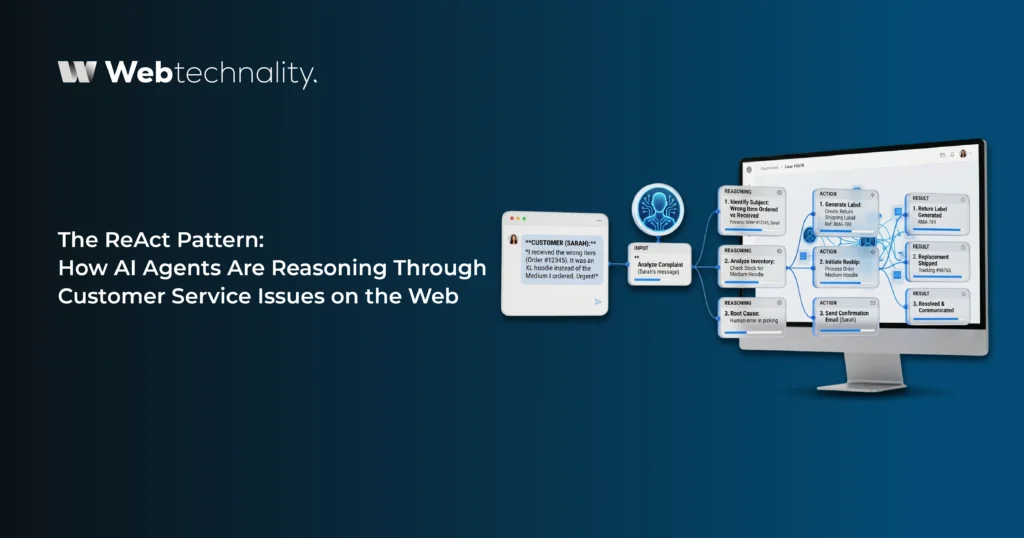
The best way to understand how React works is to walk through what the agent is actually doing inside each cycle. Here is the anatomy of a single React loop applied to a real customer service scenario.
A customer messages your support system: “My order arrived damaged. I want a replacement sent to a different address than the one on file.”
Thought 1 — Reason about the problem
The customer reports a damaged delivery and wants a replacement to a new address. I need to verify the order, confirm the damage claim is eligible for replacement, check replacement stock availability, and get the new delivery address before taking any action.
Action 1 — Query the order management system
Look up the customer’s most recent order. Retrieve order ID, product details, delivery status, and original delivery address.
Observation 1 — Evaluate the result
Order #84721 confirmed. Delivered 3 days ago. Product: Ceramic Lamp Set. Eligible for replacement within 7 days of delivery. Stock available: yes.
Thought 2 — Reason about next step
Replacement is eligible and stock is available. I still need the new delivery address from the customer before I can initiate the replacement order.
Action 2 — Request information from customer
Ask the customer to provide the new delivery address and confirm their preferred shipping speed.
Observation 2 — Customer responds with new address
Customer provides: 412 Birch Lane, Austin TX 78701. Standard shipping preferred.
Thought 3 — Confirm all information available
I have all required information. Proceed to initiate replacement order and send confirmation to customer.
Action 3 — Create replacement order and notify customer
Initiate replacement order for #84721 to new address. Send confirmation email with tracking information.
The entire interaction from first message to resolved replacement order took under two minutes and required zero human involvement. No escalation. A no ticket is sitting in a queue. No customer waiting until business hours. That is the React pattern working in a real customer service context.
React Agents vs Traditional Chatbots
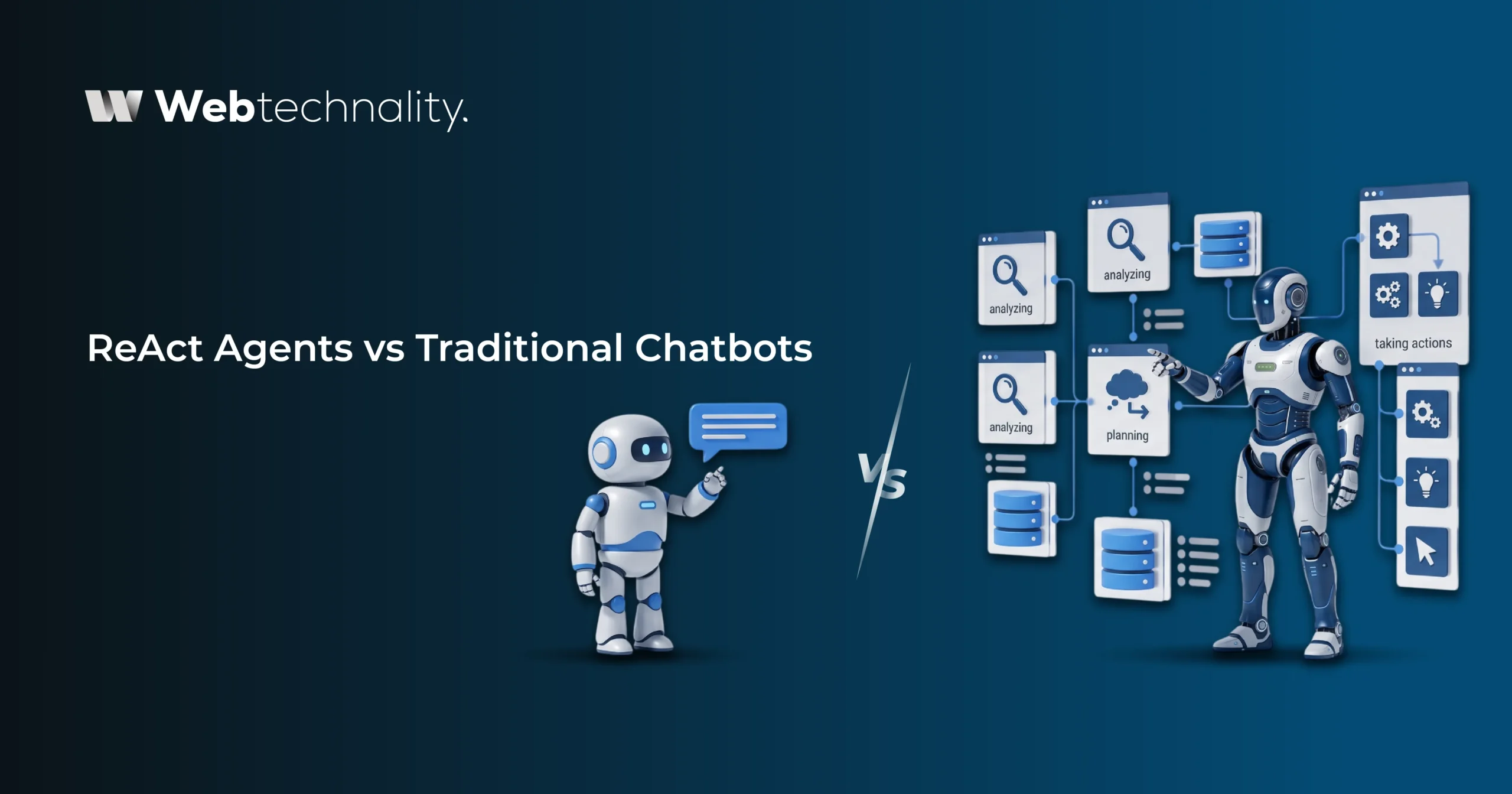
To appreciate the full scope of what the ReAct pattern changes, it helps to see the direct comparison between how a traditional chatbot handles the same customer request and how a ReAct agent handles it.
| Capability | Traditional Chatbot | React AI Agent |
|---|---|---|
| Problem understanding | Keyword and intent matching only | Full contextual reasoning about the real problem |
| Multi-step issues | Cannot handle without human escalation | Navigates multiple steps autonomously |
| System access | Limited or none, reads from static knowledge base | Queries live systems: CRM, OMS, inventory, and more |
| Exception handling | Falls back to human immediately | Reasons through edge cases, escalates only when truly needed |
| Context retention | Loses context between turns or after session ends | Maintains full context across the entire interaction |
| Task completion | Can inform, cannot execute | Reasons and executes to full resolution |
| Handling novel requests | Fails on anything outside its training scripts | Reasons through new scenarios using available tools |
The core distinction: a chatbot is a retrieval system dressed up as a conversation. A React agent is a reasoning system with the ability to take action. The customer experience these two deliver is completely different, and in a world where customer expectations continue to rise, that difference is measured in loyalty and revenue.
ReAct in Action: Real Customer Service Scenarios
The theoretical framework becomes very concrete when you look at specific use cases where ReAct-based agents are delivering measurable improvements across different industries in 2026.
🛒 Ecommerce: Order Management and Returns
A customer contacts support saying their package shows delivered but they never received it. A ReAct agent queries the carrier API to confirm GPS delivery data, checks the customer’s account for any previous similar reports, reviews the store’s lost package policy, and either initiates a replacement or escalates to the carrier dispute process with all documentation already prepared. The customer gets a resolution, not a form to fill out.
🏦 Financial Services: Account and Billing Queries
A customer reports being charged twice for the same service. The React agent accesses the billing system, identifies the duplicate transaction, checks the refund eligibility policy, initiates the refund to the original payment method, and sends a confirmation with an expected processing timeline. What would typically require a specialist and a 24-hour turnaround resolves in the same conversation.
🏥 Healthcare: Appointment Management and Insurance Verification
A patient contacts a clinic’s support asking to reschedule their appointment and confirm whether their new insurance will cover the visit. The ReAct agent checks available appointment slots, reschedules the appointment, queries the insurance verification system, and confirms coverage status, all within a single interaction. The patient leaves the conversation with everything resolved and confirmed.
💻 SaaS: Technical Troubleshooting and Account Management
A user reports that their data export feature has stopped working. The ReAct agent queries the user’s account settings, checks the system error log for recent failures associated with their account, identifies a known configuration issue, applies the fix to their account settings, and walks the user through verifying the resolution. First-contact resolution with no ticket, no wait, and no human intervention.
A mid-sized ecommerce platform that deployed a ReAct-based customer service agent in Q1 2026 reported a 71% reduction in tickets requiring human agent involvement, a 4.7 out of 5 average customer satisfaction score for AI-resolved interactions, and a 43% decrease in average resolution time compared to their previous chatbot system.
Why the React Pattern Matters for Your Website in 2026
Customer expectations have not stood still. In 2026, customers expect resolution, not referral. They expect the first point of contact to be capable enough to actually solve their problem. And increasingly, they do not care whether that first point of contact is a human or an AI, as long as they walk away with their issue resolved.
1. First-Contact Resolution is Now the Standard
In 2026, customers who have to repeat their issue more than once have a 52% higher likelihood of churning, according to current customer experience benchmarks. React agents dramatically improve first-contact resolution rates because they can handle the full complexity of real customer issues, not just the simple fraction that traditional chatbots can manage.
2. It Scales Support Without Scaling Headcount
Every time you add a new product, open a new market, or run a promotion that drives a spike in customer inquiries, your support workload increases. With a human team, you scale headcount. With a React-based agent, you scale response capacity at zero marginal cost per interaction. The same agent handles 10 conversations as easily as it handles 10,000.
3. It Frees Your Human Team for High-Value Work
When React agents handle all routine and semi-complex issues, your human agents are freed to focus on the genuinely difficult cases: emotionally charged situations, high-value account retention, complex complaints, and relationship-building conversations that genuinely benefit from human empathy and judgment. This is not about replacing your team. It is about letting them work at their highest level every day.
4. It Generates Unprecedented Operational Insight
Every reasoning step a React agent takes is logged. and action is recorded. Every resolution path is documented. This creates a level of operational visibility into your customer service patterns that no human team can match. You see exactly which issues are most common, which take the most steps to resolve, and where your product or process has gaps that are generating customer friction.
How to Build a React-Based Customer Service Agent
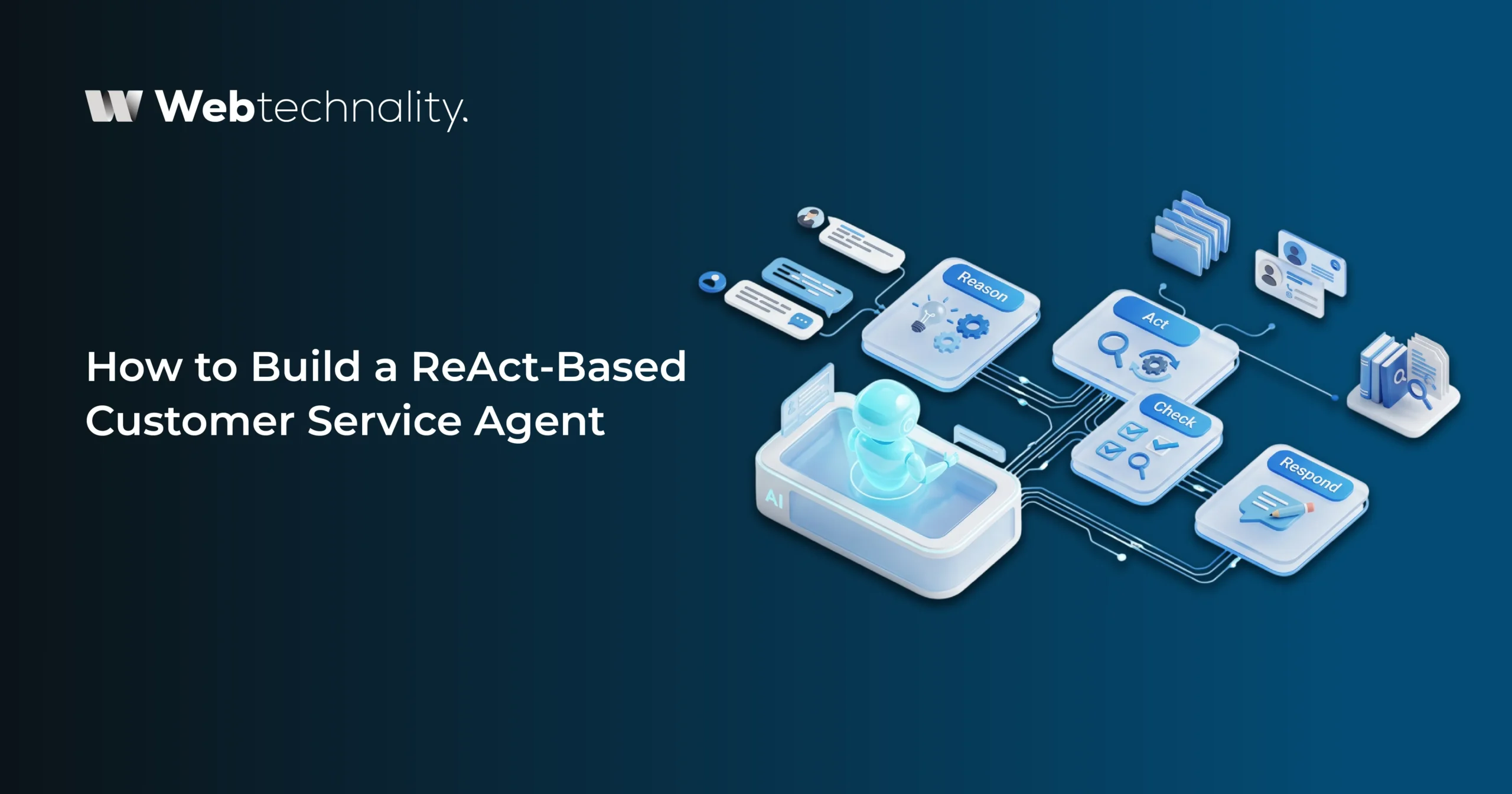
Building a production-grade React agent for customer service is a genuine engineering project. Here is how Webtechnality approaches it to deliver agents that work reliably in real business environments from day one.
Step 1: Define the Agent’s Tool Set
A React agent’s capabilities are defined entirely by the tools it has access to. In a customer service context, this typically includes a CRM lookup tool, an order management system query tool, an inventory check tool, a knowledge base search tool, a communication tool for sending emails or messages, and an escalation tool for routing to human agents. Every tool is defined with a clear description of what it does and what inputs it requires.
Step 2: Write the System Prompt and Reasoning Guidelines
The system prompt defines the agent’s role, the constraints it operates within, and the reasoning approach it should follow. This is where you define what the agent can and cannot do autonomously, how it should handle edge cases, when it should escalate to a human, and what tone and approach it should take in customer communications.
Step 3: Build and Connect System Integrations
Each tool in the agent’s arsenal needs a reliable, well-structured API integration. Our AI development team builds these integrations with proper error handling, timeout management, and fallback behaviors so the agent never fails silently when an upstream system is unavailable.
Step 4: Implement Guardrails and Human-in-the-Loop Points
Not every action should be autonomous. We define clear thresholds where the agent pauses for human confirmation: refunds above a certain value, account changes that cannot be easily reversed, escalation-worthy complaints, and any situation where the agent’s confidence score falls below a defined threshold. Guardrails are not limitations. They are the architecture of responsible deployment.
Step 5: Test Extensively with Real Scenarios
Before going live, we run the agent through hundreds of real historical support tickets covering every scenario type, including the unusual ones. We evaluate resolution accuracy, step efficiency, edge case handling, and escalation correctness. We do not consider an agent ready until it matches or exceeds human agent performance on the scenarios it is intended to handle.
Step 6: Deploy, Monitor, and Continuously Improve
After deployment, continuous monitoring of resolution rates, customer satisfaction scores, and escalation patterns allows ongoing refinement. As your product evolves and new issue types emerge, the agent is updated with new tools and reasoning guidelines. A well-maintained React agent improves in capability every quarter.
A focused ReAct customer service agent for a defined set of workflows typically takes 6 to 10 weeks to design, build, integrate, test, and deploy. Most businesses see a measurable improvement in resolution rates and customer satisfaction within the first 30 days after launch.
Frequently Asked Questions
What is the React pattern in AI?
ReAct stands for Reasoning and Acting. It is an AI agent design pattern where the agent alternates between generating reasoning traces (thinking through the problem step by step) and taking actions (querying systems, looking up data, or updating records), using the result of each action to inform its next reasoning step. This loop continues until the task is fully resolved.
How is the React pattern different from a standard chatbot?
A standard chatbot matches user input to pre-written responses. A React-based AI agent reasons through what the user actually needs, identifies what information or actions are required, queries live systems to gather that information, evaluates the results, and takes action to resolve the issue. The key difference is that ReAct agents can handle problems they have never explicitly been programmed for.
What customer service tasks can React AI agents handle?
ReAct agents can handle order status lookups and updates, refund initiation and processing, account modification requests, multi-step troubleshooting, appointment booking and rescheduling, complaint escalation, policy lookup and explanation, and any task that requires reading from or writing to live business systems.
Is the ReAct pattern safe to use for customer-facing applications?
Yes, when implemented with proper guardrails. React agents can be configured with human-in-the-loop checkpoints for high-value or sensitive actions, permission boundaries that limit which systems and actions the agent can access, and audit logging of every reasoning step and action taken. Safety is a design choice, not a limitation of the pattern itself.
What systems can a React AI agent connect to?
React agents can connect to any system with an API: CRM platforms, order management systems, inventory databases, email and messaging platforms, calendar and scheduling tools, payment processors, knowledge bases, and custom internal tools. The range of actions available to the agent is defined by the tools you integrate during the build process.
How long does it take to build a React-based customer service agent?
A focused React agent for a defined set of customer service workflows typically takes 6 to 10 weeks to design, build, integrate, and test. More complex deployments with multiple system integrations and escalation paths may take longer. Webtechnality handles the full build from architecture to launch and ongoing optimization.
Can a React agent work alongside human support agents?
Absolutely. The best implementations use React agents to handle high-volume, routine resolutions autonomously while routing genuinely complex or sensitive issues to human agents with full context already prepared. This hybrid model maximizes efficiency without sacrificing the human touch where it matters most.
The Bottom Line
Customer service has always been a problem of reasoning under uncertainty. Customers come with incomplete information, unusual situations, and a mix of needs that do not fit neatly into any script. Skilled human agents have always handled this by thinking on their feet, gathering information, and making decisions in real time.
The ReAct pattern is the framework that finally gives AI agents the same ability. Not by making them smarter in an abstract sense, but by structuring their intelligence as a deliberate cycle of reasoning and action that mirrors how good problem-solving actually works.
In 2026, building a customer service experience that only handles simple, scripted interactions is leaving a majority of your customers’ needs unmet. The ReAct pattern is how you close that gap.
Your Next Steps:
- Audit your current support tickets: Identify the top 10 most common issue types and how many steps each requires to resolve
- Map your system touchpoints: List every system a support agent accesses to resolve a typical issue
- Define your resolution criteria: Decide what full resolution means for each issue category your agent will handle
- Identify your escalation boundaries: Determine which issue types should always involve a human regardless of agent capability
- Talk to a development partner: Get a technical assessment of what a ReAct-based agent would look like for your specific support environment
About Webtechnality
Webtechnality is a Professional digital agency based in Kingman, Arizona, specializing in AI agent development, web application development, ecommerce, and digital marketing. With 10+ years of experience and 5,000+ projects delivered, we build intelligent AI systems that transform how businesses serve their customers online.